Google Business Profile Optimization for Doctors and Hospitals: A Complete Local SEO Guide
When people need a doctor, hospital, dental clinic, eye specialist, or diagnostic centre, one of their first steps is often searching on Google. They may search for a doctor near them, a hospital in their city, or a specialist who provides a particular healthcare service.
Google Search and Google Maps help people discover healthcare businesses, check their locations, explore available services, view photographs, and find contact information.
For doctors and hospital owners, this creates an important opportunity to build a strong local online presence.
However, simply creating a Google Business Profile does not guarantee visibility in local search results. Your profile needs accurate information, relevant categories, useful photographs, genuine reviews, and consistent management.
This is where Google Business Profile Optimization becomes an important part of healthcare digital marketing.
In this guide, we will explain how doctors, hospitals, clinics, dental practices, eye care centres, and diagnostic centres can optimize their Google Business Profiles to improve local visibility and make it easier for potential patients to discover their services.
What Is Google Business Profile?
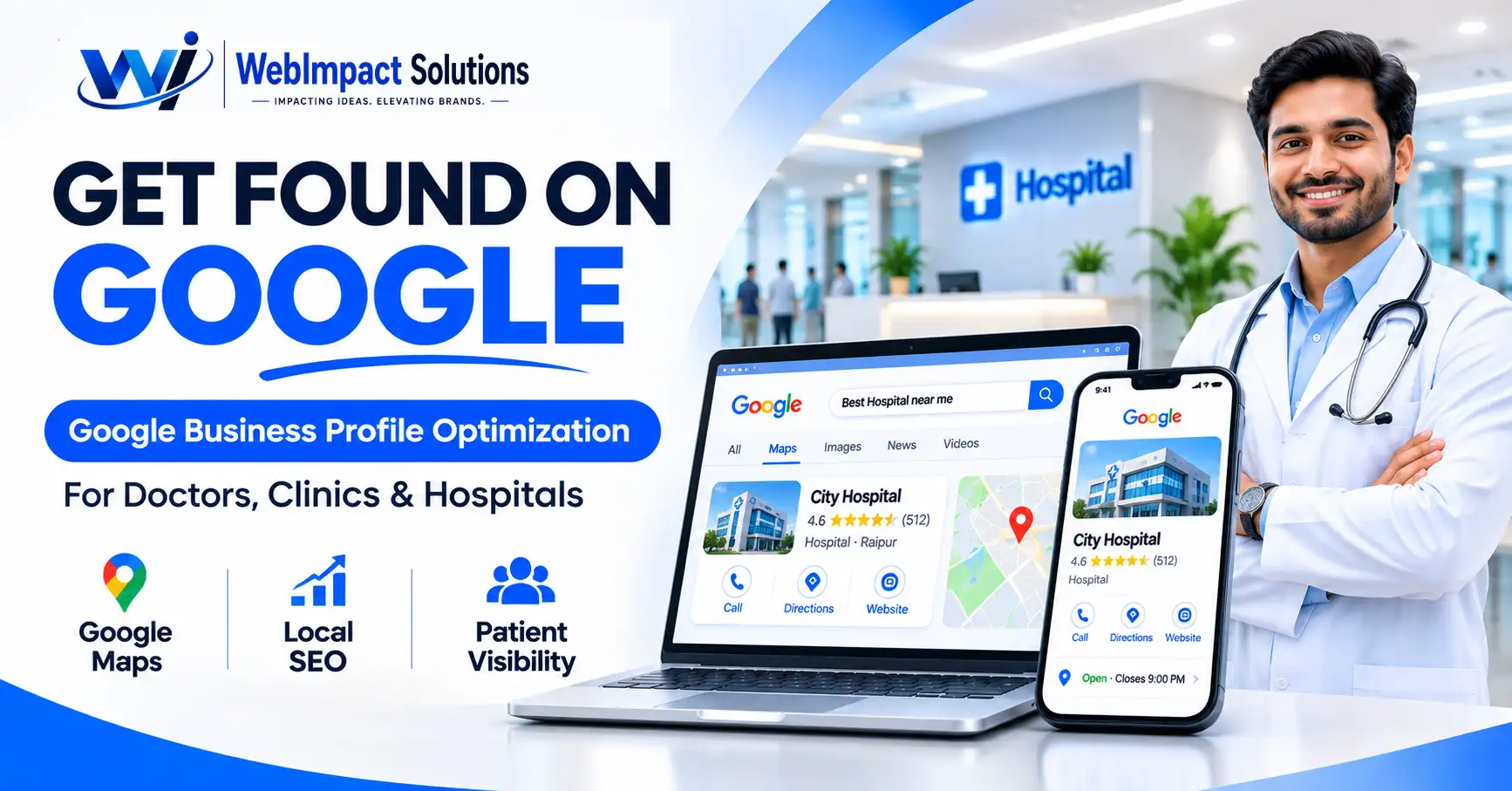
Google Business Profile is a free tool that allows eligible businesses and professionals to manage how their information appears on Google Search and Google Maps.
It helps people find important business details without having to visit a website first.
A healthcare business can use its profile to display information such as:
- Hospital or clinic name.
- Address and location on Google Maps.
- Contact number.
- Website URL.
- Business operating hours.
- Healthcare services and relevant business categories.
- Photographs of the premises and facilities.
- Customer reviews and ratings.
- Other available business information and features.
For example, when someone searches for "Dental Clinic in Raipur" or "Eye Hospital near me", Google may display relevant local healthcare businesses.
An accurate and complete Business Profile helps Google and potential patients understand what your healthcare business offers and where it operates.
Why Google Business Profile Is Important for Doctors and Hospitals
Healthcare decisions often involve trust, accessibility, and convenience. Before contacting a doctor or visiting a hospital, people may want to understand its location, services, timings, and available contact options.
A properly managed Google Business Profile can help healthcare businesses provide this information.
Here are six important benefits.
1. Improve Local Search Visibility
Local searches help people discover nearby businesses that match their requirements.
For example:
- Best dentist in Raipur.
- Orthopedic doctor near me.
- Eye hospital in my area.
- Diagnostic centre in Raipur.
- Multispeciality hospital near me.
An optimized Business Profile can help eligible healthcare businesses appear for relevant local searches.
However, appearing in a particular position is not guaranteed because Google's local ranking considers multiple factors, including relevance, distance, and prominence.
2. Help Patients Find Your Location
Accurate location information makes it easier for people to find your clinic or hospital.
Your profile can provide:
- Correct business address.
- Google Maps directions.
- Contact information.
- Operating hours.
- Website access.
This is particularly useful for hospitals and clinics serving patients from nearby neighbourhoods and surrounding areas.
3. Build Trust Through Genuine Reviews
Reviews provide people with information about other customers' experiences.
A well-managed review section can help potential patients understand aspects of the healthcare business, such as communication, appointment coordination, and general service experience.
Doctors and hospitals should encourage genuine feedback without offering incentives or pressuring patients to leave positive reviews.
4. Present Your Healthcare Services
A complete profile helps people understand what your healthcare business provides.
For example:
A dental clinic may provide information about general dentistry, orthodontics, and other available dental services.
An eye care centre may communicate its available eye consultation and diagnostic services.
A hospital may provide information about its departments and facilities.
All service information should accurately reflect what the healthcare provider actually offers.
5. Generate More Relevant Enquiries
When potential patients find accurate contact information, they have a convenient way to reach your healthcare business.
Depending on the available profile features, people may:
- Call the hospital or clinic.
- Visit the official website.
- Request directions.
- Explore available appointment options.
- Check operating hours.
These interactions can create opportunities for relevant patient enquiries.
6. Strengthen Your Local Brand Presence
Consistent business information, professional photographs, genuine reviews, and an informative website can help establish a recognizable online identity.
Over time, these activities can support a stronger local digital presence for your healthcare business.
How Google Determines Local Search Rankings
Understanding Google's local ranking factors is essential before starting optimization.
According to Google's official documentation, local search results are primarily based on three factors.
1. Relevance
Relevance refers to how closely a Business Profile matches what someone is searching for.
For example, if someone searches for a dental clinic, Google tries to identify businesses that are relevant to that search.
To improve relevance:
- Select an appropriate primary business category.
- Add accurate business information.
- Describe your actual healthcare services.
- Maintain a complete profile.
- Use relevant information on your official website.
2. Distance
Distance refers to how far a business is from the person searching or the location specified in the search.
For example, someone searching for an eye clinic near a particular neighbourhood may see nearby eye care centres.
Healthcare businesses cannot simply optimize their way around this factor by adding multiple city names to their profile.
Always represent your actual location accurately.
3. Prominence
Prominence refers to how well-known a business is.
Google may consider information from across the web, including website links, reviews, and other relevant information about the business.
To develop a stronger online presence:
- Build a useful and professional website.
- Encourage genuine patient feedback.
- Maintain accurate business information.
- Publish informative healthcare content.
- Develop relevant online references and brand mentions.
- Maintain a consistent digital identity.
Important: No agency can guarantee a number-one Google Maps position. Local search visibility depends on several factors, including competition and the searcher's location.
10 Steps to Optimize Google Business Profile for Doctors and Hospitals
The following steps provide a practical optimization process for healthcare businesses.
1. Claim and Verify Your Google Business Profile
The first step is to establish control over your healthcare business listing.
If your hospital or clinic already appears on Google Maps, check whether it has been claimed and verified by an authorized representative.
If you do not have a profile, check your eligibility and create one through Google Business Profile.
Recommended actions:
- Search for your healthcare business on Google.
- Check whether an existing listing is available.
- Claim the correct profile or create a new eligible listing.
- Complete the verification process offered by Google.
- Give profile access only to authorized staff or marketing partners.
Avoid creating duplicate profiles for the same business location.
2. Use the Correct Business Name
Your Business Profile name should accurately represent the name used by your healthcare business in the real world.
For example:
Correct: ABC Dental Clinic
Incorrect: ABC Dental Clinic | Best Dentist | Dental Hospital in Raipur
Adding unnecessary keywords, city names, promotional phrases, or service descriptions to your business name can violate Google's guidelines.
Use the actual business name consistently across your website, signage, and other official business information.
3. Select the Most Relevant Business Category
Categories help Google understand the main type of business you operate.
Choosing the right primary category is an important part of profile optimization.
Examples of healthcare business types include:
- Hospital.
- Medical clinic.
- Dental clinic.
- Eye care centre.
- Diagnostic centre.
- Specialized medical practice.
Choose the closest available category that accurately represents your main business.
You can add relevant secondary categories where appropriate, but avoid selecting unrelated categories simply to target additional keywords.
4. Complete All Important Business Information
An incomplete profile may leave potential patients without the information they need.
Review your business details carefully.
| Profile Field | Recommended Action | |---|---| | Business Name | Use the actual business name | | Address | Enter the correct physical location | | Phone Number | Provide a direct business contact number | | Website | Add the official website | | Business Hours | Maintain accurate operating hours | | Categories | Choose relevant categories | | Description | Explain the healthcare business clearly | | Services | Add genuine available services |
Also update special operating hours whenever required.
For hospitals offering emergency services, ensure that any published emergency availability information is accurate and reflects actual operations.
5. Write an Informative Business Description
The business description helps potential patients understand your healthcare organization.
Write naturally and focus on relevant information.
A good description may include:
- The name and type of healthcare organization.
- Its location.
- Available specialties and services.
- Relevant facilities.
- The organization's professional background.
- Its approach to patient communication and care.
Example: Dental Clinic
"ABC Dental Clinic provides dental consultation and oral healthcare services in Raipur, Chhattisgarh. The clinic offers a range of dental services through qualified dental professionals. Patients can contact the clinic for information about available services, consultation timings, and appointments."
This is an illustrative example. Replace all details with verified information about the actual clinic.
Avoid keyword stuffing, promotional claims, unsupported treatment guarantees, and website links in the Business Profile description.
6. Add High-Quality Photos and Videos
Photographs help people understand what your healthcare facility looks like before visiting.
Hospitals and clinics should prioritize authentic, professional, and relevant visual content.
Recommended photographs include:
- Hospital or clinic exterior.
- Reception area.
- Waiting area.
- Consultation rooms.
- Interior facilities.
- Medical equipment, where appropriate.
- Doctors and staff with their permission.
- Signage and entrance photographs.
For example, an eye care centre can upload genuine photographs of its reception, consultation areas, and available diagnostic facilities.
Always obtain appropriate consent before publishing photographs of identifiable patients or staff.
Avoid using misleading stock images as though they represent your actual healthcare facility.
7. Manage Patient Reviews Professionally
Online reviews can influence how people evaluate a hospital or clinic.
Encouraging genuine feedback and responding professionally should be part of your profile management process.
Here are some practical recommendations:
- Make it easy for genuine patients to find your review link.
- Share the review link or QR code through appropriate channels.
- Do not offer discounts, gifts, or other incentives for reviews.
- Do not pressure patients to leave positive ratings.
- Respond politely to genuine feedback.
- Report reviews that clearly violate Google's policies.
Example of a professional review response:
"Thank you for sharing your feedback. We appreciate you taking the time to review our services. Your comments are valuable to our team."
For negative reviews, remain professional and avoid discussing patient details publicly.
Never confirm or disclose an individual's medical history, treatment details, appointment information, or other confidential information in a public response.
8. Add Relevant Healthcare Services
Make sure your profile communicates the services your healthcare business genuinely provides.
For example:
Dental Clinic
- General Dental Consultation.
- Orthodontic Services.
- Preventive Dental Care.
- Oral Health Consultation.
Eye Care Centre
- Eye Consultation.
- Vision Testing.
- Eye Diagnostic Services.
- Ophthalmology Consultation.
Hospital
- General Medicine.
- Orthopedics.
- Pediatrics.
- Cardiology.
- Diagnostic Services.
These are illustrative examples. Only list services that are actually available and appropriately represented by the healthcare provider.
Where the Services feature is available, organize information clearly and use accurate descriptions.
9. Keep Your Profile Active and Updated
Profile management should not stop after verification.
Regularly review your information to ensure that patients can access accurate details.
Recommended activities include:
- Updating operating hours.
- Checking contact information.
- Reviewing business photographs.
- Publishing relevant updates where the feature is available.
- Monitoring new reviews.
- Checking profile performance.
- Updating website and appointment links when necessary.
For example, if your clinic changes its consultation timings, update the profile promptly rather than allowing outdated information to remain visible.
Avoid repetitive or misleading promotional updates.
10. Connect Your Google Business Profile With Your Website
Your official website provides additional information about your healthcare business.
Make sure the website linked to your profile represents the correct clinic, hospital, or business location.
A professional healthcare website should include:
- Homepage.
- About the Hospital or Clinic.
- Doctor Profiles.
- Healthcare Services.
- Contact Information.
- Location and Directions.
- Appointment Enquiry Options.
- Informative Healthcare Blogs.
Also ensure that the website is mobile-friendly, secure, easy to navigate, and accessible to search engines.
For healthcare businesses with multiple locations, provide accurate location-specific website information wherever appropriate.
Google Business Profile Optimization for Different Healthcare Businesses
Different healthcare organizations have different requirements. Their profiles should reflect the services and structure of their actual businesses.
1. Google Business Profile for Hospitals
Hospitals should focus on presenting accurate information about their main facility.
Important details include:
- Hospital name and location.
- Contact information.
- Operating hours.
- Available departments.
- Facilities and services.
- Hospital website.
- Genuine facility photographs.
Large hospitals may have separate profiles for qualifying public-facing departments that operate as distinct entities, subject to Google's guidelines.
2. Google Business Profile for Individual Doctors
Doctors who operate as eligible public-facing practitioners may qualify for their own Business Profile.
Important considerations include:
- Use the doctor's actual professional name.
- Provide accurate qualifications and specialties.
- Maintain correct contact and location information.
- Follow Google's individual practitioner guidelines.
- Avoid creating multiple profiles for different specializations.
Where multiple doctors work at one location, the organization and eligible individual practitioners may have separate profiles under Google's applicable rules.
3. Google Business Profile for Dental Clinics
Dental clinics should provide clear information about their actual services and practice location.
Recommended profile information includes:
- Dental clinic name.
- Relevant dental category.
- Clinic address and contact details.
- Available dental services.
- Consultation hours.
- Genuine clinic photographs.
- Official website.
4. Google Business Profile for Eye Clinics
Eye care centres should communicate their actual services and facilities.
Recommended information includes:
- Eye care centre name.
- Relevant business category.
- Available consultation services.
- Diagnostic facilities.
- Contact details.
- Accurate location.
- Genuine photographs.
5. Google Business Profile for Diagnostic Centres
Diagnostic centres should provide clear and accurate information about their available services.
Depending on the facility, this may include:
- Diagnostic centre category.
- Actual testing and diagnostic services.
- Address and operating hours.
- Contact details.
- Website information.
- Authentic facility photographs.
Do not advertise tests or facilities that are not available at the centre.
Common Google Business Profile Mistakes Doctors and Hospitals Should Avoid
Incorrect optimization practices can create problems for healthcare businesses.
Here are some important mistakes to avoid:
- Keyword Stuffing in Business Name: Adding multiple search keywords to the actual business name can violate Google's guidelines.
- Incorrect Business Category: Choosing unrelated categories may create confusion about the services offered.
- Duplicate Listings: Creating multiple profiles for the same location can lead to inaccurate information and profile management problems.
- Fake Reviews: Purchased, incentivized, or manipulated reviews violate Google's policies.
- Incorrect Contact Information: Outdated phone numbers and addresses can create a poor experience for potential patients.
- Unverified Information: Publishing incorrect doctor qualifications, specialties, or treatment information can damage credibility.
- Inconsistent Business Details: Differences in names, addresses, and contact information across online platforms can make it harder for people to identify the correct business.
- Ignoring Reviews: Failing to monitor feedback can result in unanswered questions and unresolved concerns.
- Publishing Patient Information: Sharing identifiable patient details or discussing treatment information in public responses can create serious privacy concerns.
- Expecting Instant Rankings: Google Maps visibility takes time and depends on factors that cannot be controlled entirely by the business.
How to Measure Google Business Profile Performance
Optimization should be measured using actual performance information rather than assumptions.
Google Business Profile provides performance information that eligible profile owners can review.
Important metrics include:
- Search Visibility: Understand how people discover your Business Profile.
- Profile Interactions: Review available customer actions.
- Website Clicks: Monitor visitors who access your official website through the profile.
- Calls: Review available call interaction data.
- Direction Requests: Understand how frequently people request directions to your location.
You can also use other digital marketing tools to understand your broader online performance.
Useful Tools for Healthcare Local SEO
1. Google Business Profile Performance
Use available profile performance reports to understand customer interactions.
2. Google Search Console
Monitor website impressions, clicks, search queries, and indexing performance.
3. Google Analytics 4
Understand website traffic, user engagement, and relevant enquiry conversions.
4. Local SEO Audit Tools
Use suitable SEO tools to review business information consistency, website optimization, and local search performance.
5. Website Enquiry Tracking
Track relevant appointment enquiries, contact form submissions, and calls through appropriate measurement methods.
Where possible, compare marketing enquiries with actual appointment outcomes while following applicable privacy and data protection requirements.
Google Business Profile Optimization Checklist for Doctors and Hospitals
Use this checklist to review your healthcare business profile.
- [ ] Claim and verify the correct Business Profile.
- [ ] Confirm the actual business name.
- [ ] Select the most relevant primary category.
- [ ] Add accurate address and contact details.
- [ ] Update business hours.
- [ ] Write a clear business description.
- [ ] Add relevant healthcare services.
- [ ] Upload genuine facility photographs.
- [ ] Add the official website link.
- [ ] Create an appropriate review collection process.
- [ ] Respond professionally to reviews.
- [ ] Check for duplicate or inaccurate profiles.
- [ ] Review profile performance regularly.
- [ ] Ensure patient privacy is protected.
Why Choose Professional Local SEO Services for Your Healthcare Business?
Managing a healthcare business requires significant time and attention. Hospital owners, doctors, and clinic managers may not always have the resources to manage local SEO, website optimization, content marketing, and online reputation activities internally.
A professional digital marketing agency can help organize these activities through a structured strategy.
When choosing a marketing partner, consider:
- Understanding of local SEO and Google Business Profile.
- Knowledge of healthcare business requirements.
- Accurate and ethical marketing practices.
- Clear service deliverables.
- Transparent reporting.
- Realistic expectations.
- Consistent communication.
The objective should be to develop a sustainable online presence rather than relying on temporary ranking tricks.
How WebImpact Solutions Helps Doctors and Hospitals Improve Online Visibility
At WebImpact Solutions, we help businesses strengthen their online presence through strategic digital marketing and professional website solutions.
We understand that healthcare businesses need accurate information, professional communication, and a consistent digital presence.
Our services can be tailored to the requirements of doctors, hospitals, clinics, dental practices, eye care centres, and diagnostic centres.
Our Healthcare Digital Marketing Services
- Local SEO Services: Improve local search visibility through keyword research, website optimization, and local SEO strategies.
- Google Business Profile Management: Help maintain accurate business information, relevant updates, photographs, and profile details.
- Social Media Marketing: Create professional healthcare awareness content for Instagram and Facebook.
- Website Development: Develop responsive and search-friendly websites for healthcare businesses.
- Google Ads & PPC Advertising: Plan and manage suitable advertising campaigns in accordance with applicable healthcare advertising policies.
- Content Marketing: Create informative healthcare blogs, service pages, and website content.
Our approach begins with understanding your business requirements and identifying suitable digital marketing opportunities.
Explore our Digital Marketing Services and Website Development Services to learn more.
Frequently Asked Questions (FAQs)
1. Is Google Business Profile free for doctors and hospitals?
Yes. Google Business Profile is a free tool for eligible businesses and professionals. Doctors, clinics, and hospitals that meet Google's eligibility requirements can use it to manage their business information on Google Search and Maps.
2. How can doctors improve their Google Maps ranking?
Doctors can improve their local search presence by maintaining accurate profile information, selecting relevant categories, developing a useful website, building genuine reviews, and strengthening their overall online presence. Google considers relevance, distance, and prominence when determining local rankings. No specific position is guaranteed.
3. Can a doctor have a separate Google Business Profile from a hospital?
Yes, under certain conditions. Google allows eligible individual practitioners to have separate profiles when they work in a public-facing role and can be contacted directly at the verified location during stated hours. The organization and eligible practitioners should follow Google's specific guidelines.
4. How many reviews should a hospital or clinic have?
There is no fixed number of reviews required to optimize a Business Profile. Healthcare businesses should focus on collecting genuine, unbiased feedback consistently without incentives or pressure. The quality and authenticity of feedback matter more than pursuing an arbitrary review target.
5. How long does Google Business Profile optimization take to show results?
There is no fixed timeline. Improvements in profile completeness and information accuracy can be made relatively quickly, but changes in local search visibility depend on competition, relevance, distance, prominence, and other factors. Consistent management and monitoring are important.
Conclusion
Google Business Profile is an important part of local digital marketing for doctors, hospitals, clinics, dental practices, eye care centres, and diagnostic businesses.
A properly managed profile helps healthcare businesses communicate accurate information, present their services, build an online presence, and make it easier for potential patients to discover and contact them.
From selecting the correct business category and adding authentic photographs to managing genuine reviews and connecting an official website, every optimization activity should focus on accuracy, usefulness, and trust.
Remember that Google Maps rankings cannot be guaranteed through shortcuts. A sustainable local SEO strategy requires consistent profile management, a strong website, relevant content, and a credible digital presence.
Ready to Improve Your Healthcare Business's Online Visibility?
WebImpact Solutions helps doctors, hospitals, and clinics strengthen their digital presence through Google Business Profile optimization, local SEO, social media marketing, Google Ads, and professional website development.
Build a stronger digital presence for your healthcare business with WebImpact Solutions.
- Website: https://webimpact.in/
- WhatsApp / Call: +91 80856 59002
- Email: webimpactindia@gmail.com
Contact WebImpact Solutions today to discuss your healthcare digital marketing requirements.
---
Official Resources
For additional information, refer to Google's official documentation:
- Tips to Improve Your Local Ranking on Google
- Guidelines for Representing Your Business on Google
- Tips to Get More Reviews
- Prohibited and Restricted Content
This article is intended for digital marketing and business information purposes. Healthcare businesses should ensure that their profile information and promotional activities comply with applicable professional, advertising, privacy, and platform requirements.